Arpeggiator Page
The Arpeggiator Page edits the arpeggiator attached to the current sequencer track. Arpeggiator settings are stored with the track when the track is saved to the grid.
Open it from the Chromatic or PianoRoll Track Menu:
[Global] > ARPEGGIATOR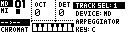
The page returns to the previous page when [Yes/Enter], [No/Exit] or one of the panel buttons is pressed.
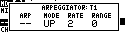
Controls
| Control | Assignment |
|---|---|
| Encoder 1 | Arpeggiator state. |
| Encoder 2 | Arpeggiator mode. |
| Encoder 3 | Rate. |
| Encoder 4 | Range in octaves. |
| [Left] / [Right] | Move focus between visible Arpeggiator parameters. |
| [Up] / [Down] | Adjust the focused parameter. |
| [Trig] / keyboard input | Edit the current note set through the Chromatic Page input handler. |
Arpeggiator State
| State | Label | Behavior |
|---|---|---|
| Off | -- |
Arpeggiator disabled. |
| On | ON |
Arpeggiates the current held note set. |
| Latch | LAT |
Preserves the note set after keys are released. |
| Lock | LCK |
Locks the current note set so accidental note selection does not replace it. |
LCK is useful when performing from the Chromatic Page while keeping an arpeggio pattern fixed.
Rate
The rate encoder controls how the arpeggiator advances.
| Rate | Behavior |
|---|---|
TRG |
Advance only when the related sequencer track fires a trig. |
| Numeric values | Advance at the selected clocked rate. |
TRG is useful when the arpeggio should follow the rhythm of the sequencer track instead of running continuously.
Range
Range sets how many octaves the arpeggiator spans above the selected notes.
Higher ranges create wider patterns, while 0 keeps the arpeggio inside the entered note set.
Modes
| Mode | Label | Notes played in order |
|---|---|---|
| Up | UP |
Ascending. |
| Down | DWN |
Descending. |
| Up Down | UD |
Ascending then descending. |
| Down Up | DU |
Descending then ascending. |
| Up And Down | UND |
Ascending and then descending with endpoint behavior distinct from UD. |
| Down And Up | DNU |
Descending and then ascending with endpoint behavior distinct from DU. |
| Converge | CNV |
From the outside notes toward the center. |
| Diverge | DIV |
Alternates highest, lowest, next-highest, next-lowest, moving inward. |
| Converge/Diverge | CND |
Alternates converging and diverging motion. |
| Pinky Up | PU |
Ascending lower notes with the highest note inserted after each lower note. |
| Pinky Down | PD |
Descending through notes below the highest, inserting the lowest note after each step. |
| Thumb Up | TU |
Ascending lower notes with the highest note inserted after each lower note. |
| Thumb Down | TD |
Descending through notes below the highest, inserting the highest note after each step. |
| Up Pinky | UPP |
Ascending; added octave ranges shift only the final note of the base pattern upward. |
| Down Pinky | DP |
Descending; added octave ranges shift only the final note of the base pattern upward. |
| Up 2nd | U2 |
Ascending base pattern; added octave ranges raise every other copied note. |
| Down 2nd | D2 |
Descending base pattern; added octave ranges raise every other copied note. |
| Random | RND |
Static randomized order. |
| Random 2 | RN2 |
New random order over time. |
Quantization
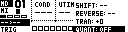
The Track Menu QUANT setting controls whether arpeggiator start timing is quantized or immediate. Access it from the Step Editor or PianoRoll Track Menu by holding [Global] and scrolling to QUANT.
Track Mutes And Transport
Arpeggiator playback follows the related track's mute state and resets cleanly when transport starts. If the track is muted, arpeggiated notes are suppressed with the track.