WAV Designer
WAV Designer creates short single-cycle WAV samples for the Machinedrum UW. It has three oscillator pages and one oscillator mixer page.
Open it with:
[Bank Group] + [Trig 10]
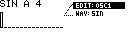
Workflow
- Shape oscillators on
OSC1,OSC2andOSC3. - Balance them on the
MIXERpage. - Use
TRANSFERfrom the menu to renderWAVE.wav. - Choose the destination Machinedrum sample slot in the Sample Manager slot picker.
WAV Designer renders a mono WAV, detects loop points, normalizes the audio level, writes the loop metadata, and sends the file with MIDI SDS.
Page Menu
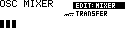
Hold [Global] to open the WAV Designer menu.
| Entry | Function |
|---|---|
EDIT |
Switch between OSC1, OSC2, OSC3 and MIXER. |
WAV |
Select the oscillator waveform on oscillator pages. |
TRANSFER |
Render and send the mixed waveform from the mixer page. |
TRANSFER is available from the mixer page.
Oscillator Pages
Each oscillator has its own pitch, fine tune, shape width and waveform-specific editor.

| Control | Function |
|---|---|
Encoder 1 |
Pitch in note steps. |
Encoder 2 |
Fine tune in cents. |
Encoder 3 |
Width for triangle, pulse and saw waveforms. |
Encoder 4 |
Edit sine overtones or user waveform points while trig keys are held. |
| [No] / panel Save/No | Toggle note display and frequency display. |
| MD [Trig] keys | Select sine overtones or user-waveform points for Encoder 4 editing. |
The oscillator's displayed note/frequency determines its rendered pitch. The final render uses the lowest active oscillator as the fundamental so the combined waveform loops cleanly.
Waveforms
| Waveform | Function |
|---|---|
-- |
Oscillator off. |
SIN |
Sine with editable overtone levels. Hold trig keys and turn Encoder 4 to set overtone levels. |
TRI |
Triangle with width control. |
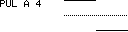
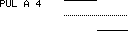
PUL |
Pulse/square with width control. |
SAW |
Saw with width control. |
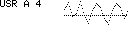
USR |
Sixteen-point user waveform. Hold trig keys and turn Encoder 4 to edit points. |



Mixer Page
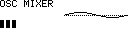
| Control | Function |
|---|---|
Encoder 1 |
Oscillator 1 level. |
Encoder 2 |
Oscillator 2 level. |
Encoder 3 |
Oscillator 3 level. |
Encoder 4 |
Reserved for transfer/slot state. |
| Hold [Global] | Open the menu with TRANSFER. |
The mixer levels do not need to be conservative. The rendered file is normalized before transfer.
Output File
WAV Designer writes its render to the logical path:
/Samples/WAV/WAVE.wav
If your SD card uses an /MCL folder, the file is stored at /MCL/Samples/WAV/WAVE.wav.
The generated WAV includes loop metadata. If the file already exists, the render path overwrites the temporary WavDesigner output before transfer.