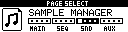
Sample Manager Page
The Sample Manager transfers samples between the Machinedrum UW sample memory and the MCL SD card.
Open it with:
[Bank Group] + [Trig 9]
Supported file types:
| Type | Use |
|---|---|
.wav |
PCM WAV samples. |
.syx |
MIDI SDS sample dumps, including official Machinedrum sample-pack files. |
Sample transfer requires a Machinedrum UW model for sample playback/storage.
File Locations
MCL uses these logical SD-card folders:
| Folder | Contents |
|---|---|
/Samples/WAV |
WAV files and received samples. |
/Samples/SYX |
SDS/SysEx sample files. |
If your SD card uses an /MCL folder, these folders are inside it, for example /MCL/Samples/WAV.
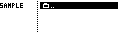
The browser filters the file list to .wav and .syx files. Folders are shown so sample sets can be organized.
Browser Controls
| Control | Action |
|---|---|
| [Up] / [Down] | Move through entries. |
| [Yes] / [Load/Yes] | Enter a folder, start receive from [RECV], or send the selected file. |
| [No] | Cancel, leave a picker, or move back depending on the current browser state. |
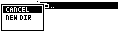
| Hold [Global] | Open the file menu. |
The file menu can create folders, clone regular sample files, rename files, delete files, and run bulk sample send/receive when the [RECV] action row is selected.
Receiving One Sample
- Select
[RECV]. - Choose a Machinedrum sample slot from the slot list.
- Enter or confirm the filename.
- MCL receives the SDS dump, converts it to WAV, and saves it in the current folder.
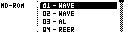
The slot list shows ROM slots first. RAM slots are shown as R1 through R4 where the connected UW model reports them.
Sending One Sample
Select a .wav or .syx file and press [Yes]. MCL opens the Machinedrum slot picker, asks for overwrite confirmation, and sends the file to the chosen slot.
For WAV files whose names start with two digits, a single-file send strips the leading two digits from the sample name sent to the Machinedrum. This keeps numbered bulk-transfer filenames readable on the MD.
Bulk Receive And Send
Bulk actions are available from the file menu while the [RECV] row is highlighted.
| Action | Result |
|---|---|
RECV ALL |
Receives occupied Machinedrum sample slots into the current folder. |
SEND ALL |
Sends numbered .wav or .syx files from the current folder back to their matching slots. |
Bulk receive prefixes filenames with a two-digit slot number, such as 01KICK.wav. Bulk send uses that prefix to choose the destination slot. Files without a two-digit prefix are skipped by bulk send.
Transfer Notes
Sample transfers use the configured Machinedrum MIDI port. If external MIDI clock is present, MCL temporarily protects the transfer path where required by the platform.
Press or hold Machinedrum [No] during a send or receive to cancel. MCL [Save/No] also cancels receives, and stops bulk receive/send at the next slot or file boundary.
Loop points from received looped SDS samples are stored in the saved WAV file. MCL's WAV reader also handles common non-standard WAV chunk layouts.
WAV File Guidelines
- Use mono WAV files for Machinedrum UW playback.
- PCM WAV files must have a non-zero sample rate; MCL sends the file's sample rate in the SDS header. 44.1 kHz and 22.05 kHz are typical choices.
- PCM bit depths from 8 to 28 bits are accepted and packed into SDS sample data.
- Keep filenames short enough for the SD browser and the Machinedrum sample-name display.