Slot Menu
The Slot Menu edits one slot or a rectangular range of slots from the Grid Page. It is the fastest way to adjust length, loop, jump and sequence-only load behavior without entering the full Save or Load page.
Open it by holding [No/Exit] on the Grid Page.
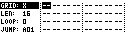
Range Selection
When the Slot Menu is open, the selected area starts at the current cursor position.
| Control | Action |
|---|---|
| Encoder 3 | Adjust selection width. |
| Encoder 4 | Adjust selection height. |
| [Left] / [Right] | Adjust selection width. |
| [Up] / [Down] | Adjust selection height. |
| [Function] + arrow | Adjust faster where supported. |
On TBD, arrows navigate Slot Menu entries first; hold the normal function modifier to adjust selection geometry.
Menu Entries
| Entry | Values | Function |
|---|---|---|
GRID |
X, Y |
Select whether the Slot Menu edits Grid X or Grid Y. |
LEN |
1-64 or 1-128 depending on track type | Set the saved length for the selected slot or track. |
LOOP |
0-63 | How many times the track repeats before transitioning to the row set by JUMP. In Auto mode, 0 disables automatic transition. |
JUMP |
A01-H16 |
Row to load after the loop count is reached. |
SOUND |
OFF, ON |
Choose whether loading this slot also loads sound/device state. |
CLEAR |
--, YES |
Clear the selected slot range. |
COPY |
--, YES |
Copy the selected slot range. |
PASTE |
--, YES |
Paste copied slot data at the selected position. |
RENAME |
Action | Rename the current row. |
Set SOUND to OFF to load sequence data without replacing the destination sound.
Applying Changes
Slot Menu changes are applied when the menu closes.
| Action | Result |
|---|---|
| Release [No/Exit] | Apply changed slot settings. |
| Press [Yes/Enter] while the menu is open | Load the selected slot range. |
| Press copy/clear/paste commands | Apply the corresponding slot edit immediately. |
Use RENAME |
Open row-name entry for the current row. |
Editing A Range
Length, loop, jump and sound-load changes apply to the selected slot range. The range can cover several columns, several rows, and can extend from Grid X into Grid Y.
Changing GRID by itself only chooses the edit target; it does not update slot settings.
When changing LEN or LOOP across multiple slots, MCL tries to keep musical phrase lengths sensible:
| Change | Result |
|---|---|
LEN only |
Applies the new length to selected slots with the same speed. Slots at a different speed keep their length. |
LOOP only |
Tries to match the edited slot's total play time by adjusting each selected slot's loop count. If that cannot be matched cleanly, the edited loop value is copied. |
LEN and LOOP together |
Copies both values directly to the selected slots. |
LOOP set to 0 |
Disables Auto-mode advance for the selected slots. |
Copy, Paste And Undo
Copy and paste work on the selected rectangle. Clearing a range stores undo information for the same start position, so a mistaken clear can be restored from the Slot Menu workflow.
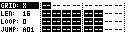
Loading From The Slot Menu
Press [Yes/Enter] while the Slot Menu is open to load the selected range.
If the selection spans more than one row, MCL temporarily uses Queue mode so each selected row can be loaded in sequence.
Use the [Bank A], [Bank B] and [Bank C] shortcuts while the Slot Menu is open to switch the active load mode:
| Key | Load mode |
|---|---|
| [Bank A] | Manual |
| [Bank B] | Auto |
| [Bank C] | Queue |